Authentication & Access Tokens
JWT-based authentication mechanism across the ComplyVigilance Platform.
The authentication system in ComplyVigilance uses JWT (JSON Web Tokens) to securely identify users across the Web Portal, CLI, and GUI clients. Each token acts as a unique authentication key that allows authorized access to scanning and project management features within the platform.
Overview
Authentication in ComplyVigilance is based on tokens that users can generate directly from the Web Portal.
Once generated, these tokens can be used in both CLI and GUI tools to perform scans or interact with the API securely.
For additional security, Multi-Factor Authentication (MFA) is supported during account signup and login. Users can enable MFA using authenticator applications such as Google Authenticator or Microsoft Authenticator. After entering their credentials, users are required to verify their identity using a time-based one-time password (TOTP) generated by the authenticator app.
This additional verification step ensures that even if login credentials are compromised, unauthorized access to the account is prevented.
Note: Account activation requires the user to sign in at least one time.
Tokens Guide
Tokens do not expire by time , instead, they have a usage limit (hit count) which defines how many authenticated requests can be made before the token becomes invalid.
How To Generate a Token
-
Sign in using your registered credentials to cv portal.
-
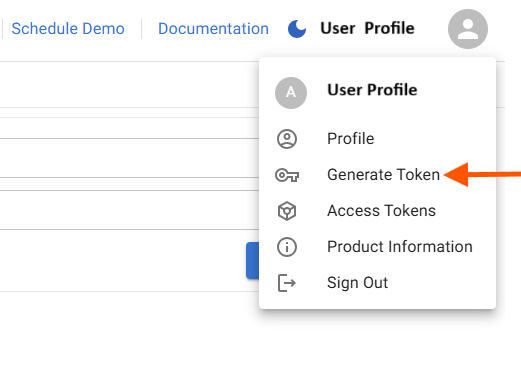
Go to Profile → and click Access Tokens option.
-
Click on Generate Token button.
-
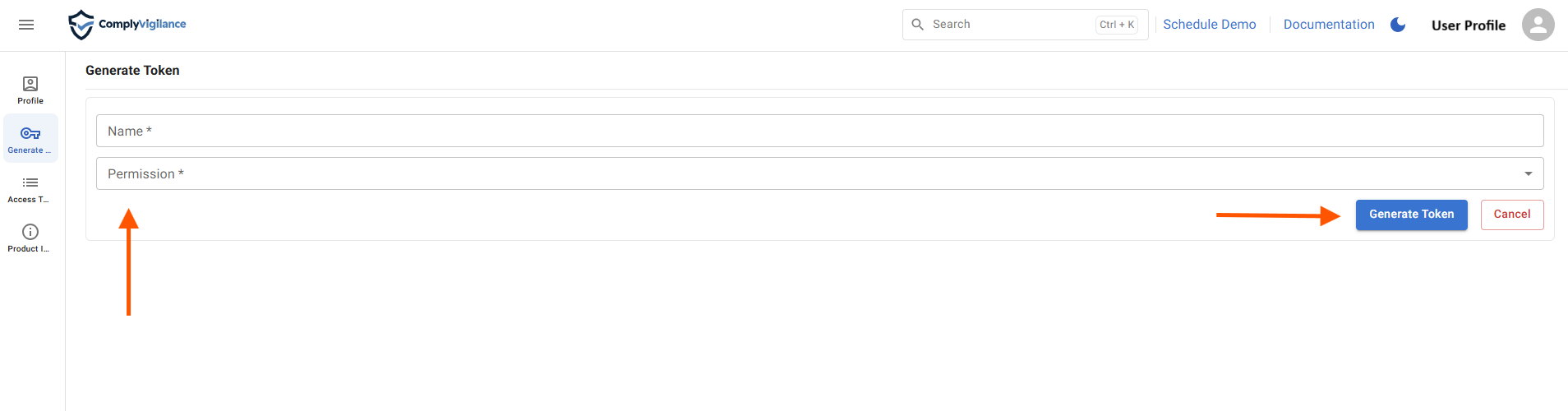
Specify Name and Permissions → and click Generate Token .
-
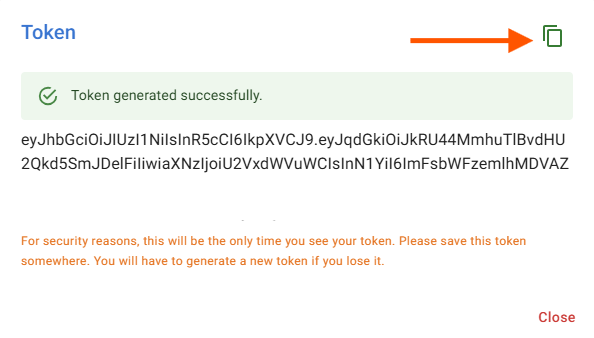
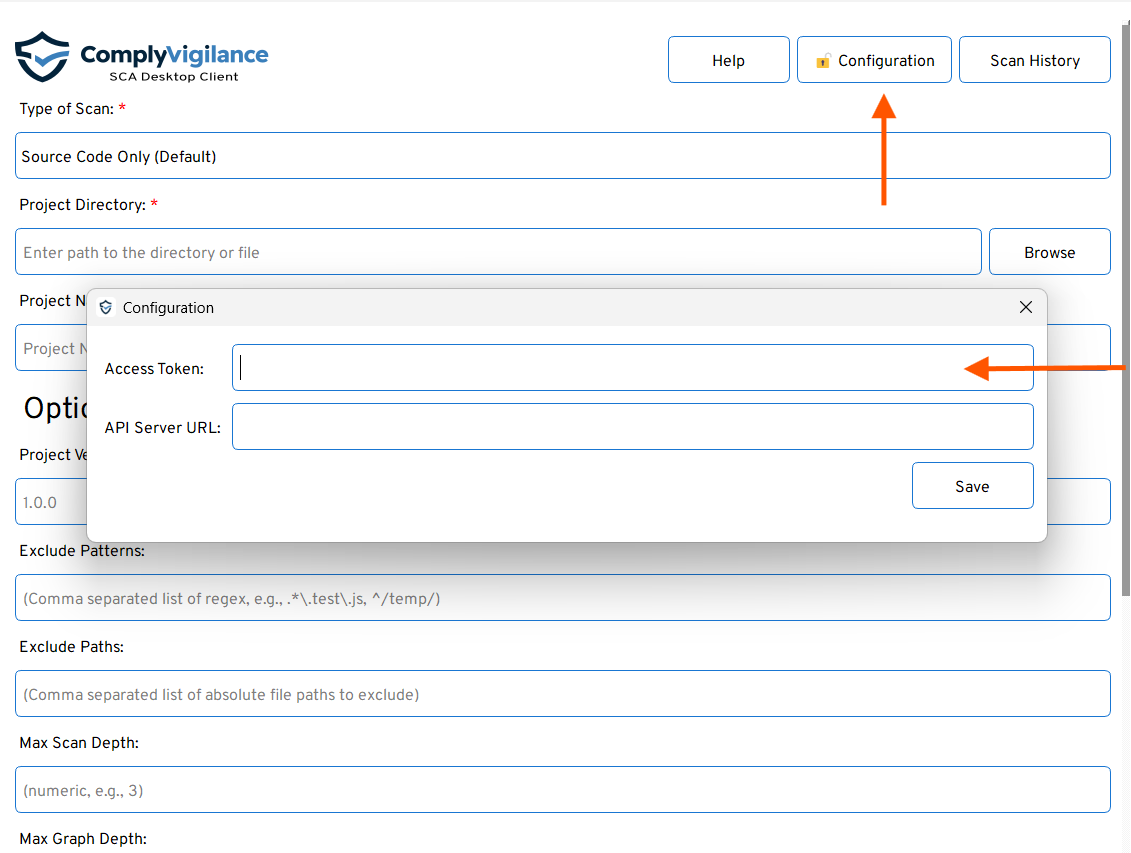
Copy the generated token and use it in the CLI and GUI for authentication.
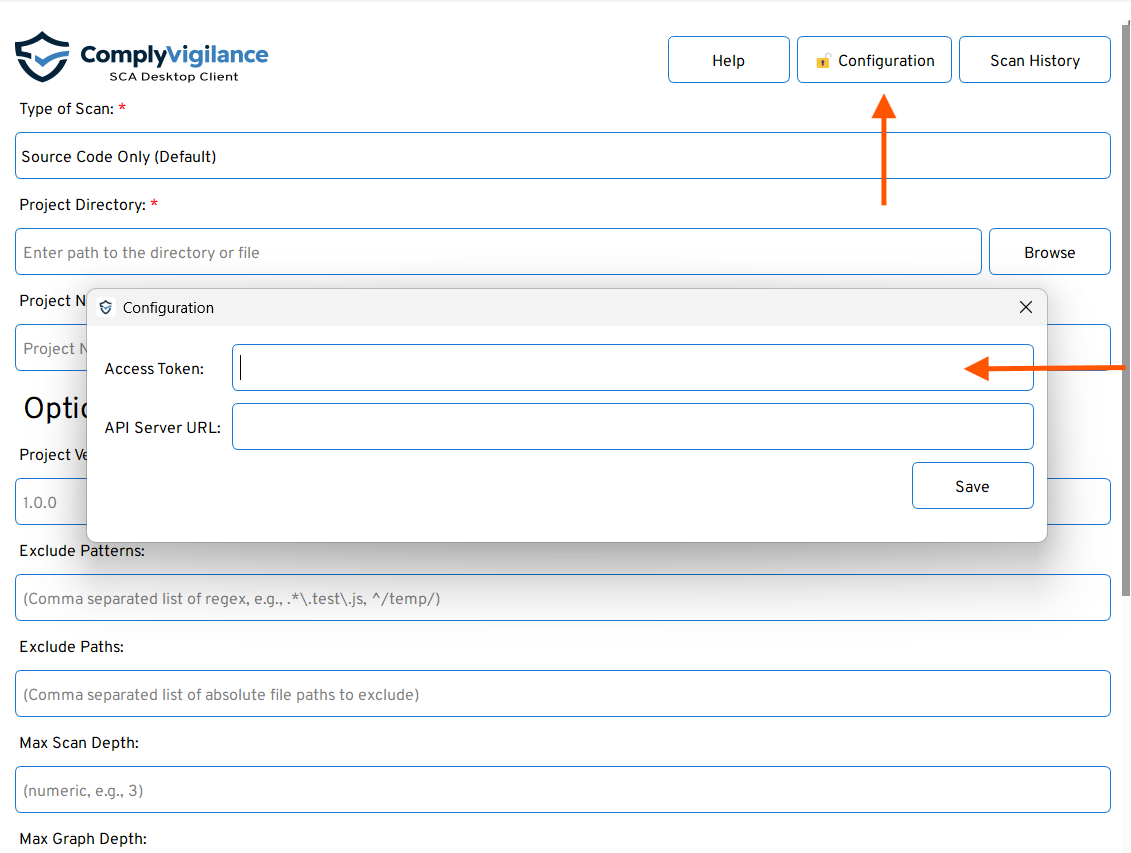
cvclient -p ./my-app -u https://api-sca.complyvigilance.com -k <ACCESS_TOKEN>In GUI, click on configuration and paste your access token → and click Save
Token Rules
- Tokens do not expire by time.
- Each token has a hit limit (for example, 60 API requests).
- Once the hit limit is reached, the token automatically becomes invalid.
- Limits may vary per client based on plan or role.
- You can generate new tokens anytime from the Web Portal.
Security Guidelines
- Treat your token like a password, never share it publicly.
- Regenerate a token if you suspect misuse or have reached your usage limit.